Storage
Overview
Section titled “Overview”Rebase provides integrated file storage with two backend options:
- Local filesystem — Files stored on disk (great for development)
- S3-compatible — AWS S3, MinIO, Cloudflare R2, DigitalOcean Spaces
Backend Configuration
Section titled “Backend Configuration”Local Storage
Section titled “Local Storage”await initializeRebaseBackend({ // ... storage: { type: "local", basePath: "./uploads" // Directory for file storage }});S3 Storage
Section titled “S3 Storage”import { env } from "./env";
await initializeRebaseBackend({ // ... storage: { type: "s3", bucket: env.S3_BUCKET!, region: env.S3_REGION || "us-east-1", accessKeyId: env.S3_ACCESS_KEY_ID!, secretAccessKey: env.S3_SECRET_ACCESS_KEY!, // Optional: custom endpoint for MinIO, R2, etc. endpoint: env.S3_ENDPOINT }});Multiple Storage Backends
Section titled “Multiple Storage Backends”You can configure multiple storage backends and route different fields to different backends:
storage: { "(default)": { type: "local", basePath: "./uploads" }, "media": { type: "s3", bucket: "media-bucket", region: "us-east-1", ... }}Storage Endpoints
Section titled “Storage Endpoints”| Method | Path | Description |
|---|---|---|
POST | /api/storage/upload | Upload a file |
GET | /api/storage/files/:path | Download/serve a file |
DELETE | /api/storage/files/:path | Delete a file |
Frontend: File Upload Fields
Section titled “Frontend: File Upload Fields”To add file uploads to your collections, use the storage property on string fields:
properties: { image: { type: "string", name: "Product Image", storage: { storagePath: "products", // Subdirectory in storage acceptedFiles: ["image/*"], // MIME type filter maxSize: 5 * 1024 * 1024, // 5MB max fileName: (context) => { // Custom filename return context.entityId + "_" + context.file.name; } } }, documents: { type: "array", name: "Documents", of: { type: "string", storage: { storagePath: "documents", acceptedFiles: ["application/pdf", "image/*"] } } }}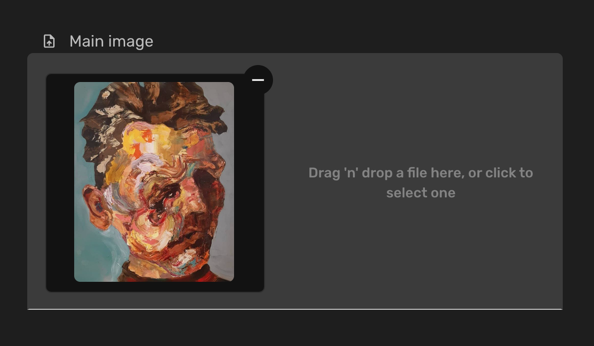
Storage Config Options
Section titled “Storage Config Options”| Property | Type | Description |
|---|---|---|
storagePath | string | Subdirectory within the storage backend |
acceptedFiles | string[] | Allowed MIME types (e.g., ["image/*"], ["application/pdf"]) |
maxSize | number | Maximum file size in bytes |
fileName | function | Custom filename generator |
metadata | object | Additional metadata to store with the file |
storeUrl | boolean | Store the full URL instead of the relative path |
Multiple File Uploads
Section titled “Multiple File Uploads”Wrap the storage property in an array for multiple file uploads:
photos: { type: "array", name: "Photos", of: { type: "string", storage: { storagePath: "photos", acceptedFiles: ["image/*"] } }}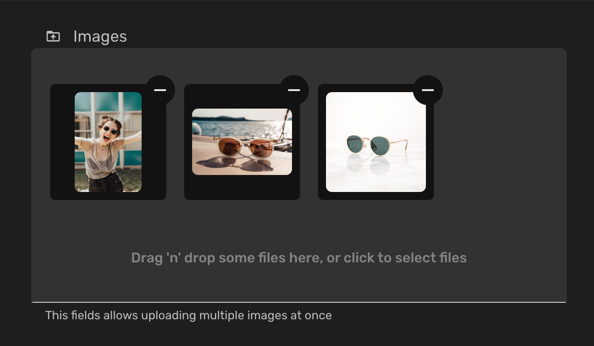
Frontend: useStorageSource Hook
Section titled “Frontend: useStorageSource Hook”For programmatic file operations:
import { useStorageSource } from "@rebasepro/core";
const storageSource = useStorageSource();
// Upload a fileconst result = await storageSource.uploadFile({    file,    fileName: "my-file.pdf",    path: "documents"});
// Get download URLconst url = await storageSource.getDownloadURL(result.path);
Production Tips
Section titled “Production Tips”- Mount a persistent volume if using local storage on Docker/Kubernetes
- Use S3 or compatible (R2, MinIO) for production deployments
- Configure a CDN (CloudFront, Cloudflare) in front of your S3 bucket for performance
Next Steps
Section titled “Next Steps”- Client SDK — Programmatic data and file operations
- Properties — All property types