Plugin System
Overview
Section titled “Overview”Plugins are the primary extension mechanism in Rebase. They can:
- Wrap the entire app with a provider (context, state management)
- Add home page actions and widgets
- Inject collection view components (toolbar, column builders)
- Add form components (field builders, additional panels)
- Inject or modify collections dynamically
Plugin Interface
Section titled “Plugin Interface”interface RebasePlugin { key: string; // Unique identifier loading?: boolean; // Hold admin content until the plugin is ready
// UI contributions — a flat array, each entry naming its slot. // This replaced the old per-area objects (homePage, collectionView, form). slots?: SlotContribution[];
// HOC providers. `scope: "root"` wraps the whole admin below // RebaseContext; `scope: "form"` wraps each entity form / edit view. providers?: PluginProvider[];
// Behavioural (non-UI) hooks: collection modification and injection, // column reordering, navigation entries. hooks?: PluginHooks;
// Custom field rendering (e.g. data enhancement). fieldBuilder?: FieldBuilderConfig;
// Views added to the navigation automatically. views?: AppView[];
lifecycle?: PluginLifecycle;}Every one of these is optional except key. The full slot-name list lives on
the Slots page.
Using Plugins
Section titled “Using Plugins”Pass plugin instances to the navigation controller:
const dataEnhancementPlugin = useDataEnhancementPlugin();
const plugins = [dataEnhancementPlugin];
const navigationStateController = useBuildNavigationStateController({    plugins,    collections: () => collections,    // These four are required — the controller resolves navigation against them.    authController,    data,    collectionRegistryController,    urlController});
Building a Plugin
Section titled “Building a Plugin”Here’s a minimal plugin that adds a toolbar action to every collection:
import type { RebasePlugin } from "@rebasepro/cms-types";
function useMyPlugin(): RebasePlugin {    return {        key: "my_plugin",
        // `slots` is a flat array of contributions, each naming its slot.        // See the Slots page for the full list of slot names.        slots: [            { slot: "collection.actions", Component: MyToolbarAction }        ],
        // `fieldBuilder` is top-level and takes a `wrap` function that returns        // a *component* (or null to leave the default field alone) — it is not        // a render function and no longer lives under `form`.        fieldBuilder: {            wrap: ({ property }) =>                property.propertyConfig === "my_custom_field" ? MyCustomField : null        }    };}
Built-in Plugins
Section titled “Built-in Plugins”Data Enhancement Plugin
Section titled “Data Enhancement Plugin”AI-powered field autocompletion:
import { useDataEnhancementPlugin } from "@rebasepro/plugin-ai";
const enhancementPlugin = useDataEnhancementPlugin();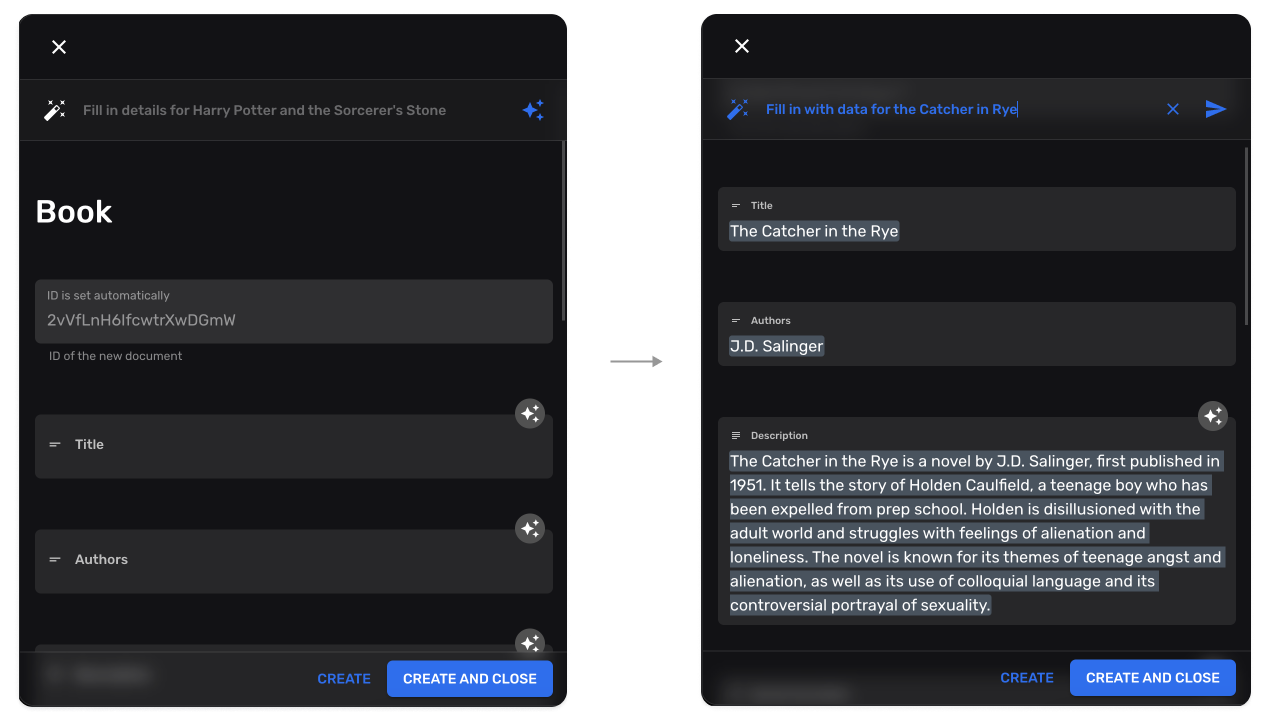
Collection Injection
Section titled “Collection Injection”Plugins can dynamically add new collections:
hooks: { // Receives the resolved collections and returns the full list to use. injectCollections: (collections) => [...collections, auditLogCollection]}Collection Modification
Section titled “Collection Modification”Plugins can modify existing collections:
hooks: { // Receives one collection, returns the modified one. // Use `modifyCollectionAsync` when the change needs a fetch. modifyCollection: (collection) => ({ ...collection, properties: { ...collection.properties, last_modified_by: { type: "string", name: "Modified By", admin: { readOnly: true } } } })}Next Steps
Section titled “Next Steps”- Studio Tools — SQL console, JS console, RLS editor
- Custom Fields — Building custom form fields