Rebase CMS.
Dieselbe Definition, für Menschen gerendert.
A complete admin panel, generated from the collections your backend already uses. It is a layer on top — a client of the same API your own code calls, under the same policies. Add it when a human needs to touch the data, skip it when nobody does, and remove it without your API noticing.
Backoffices, die Teams täglich auf Rebase betreiben
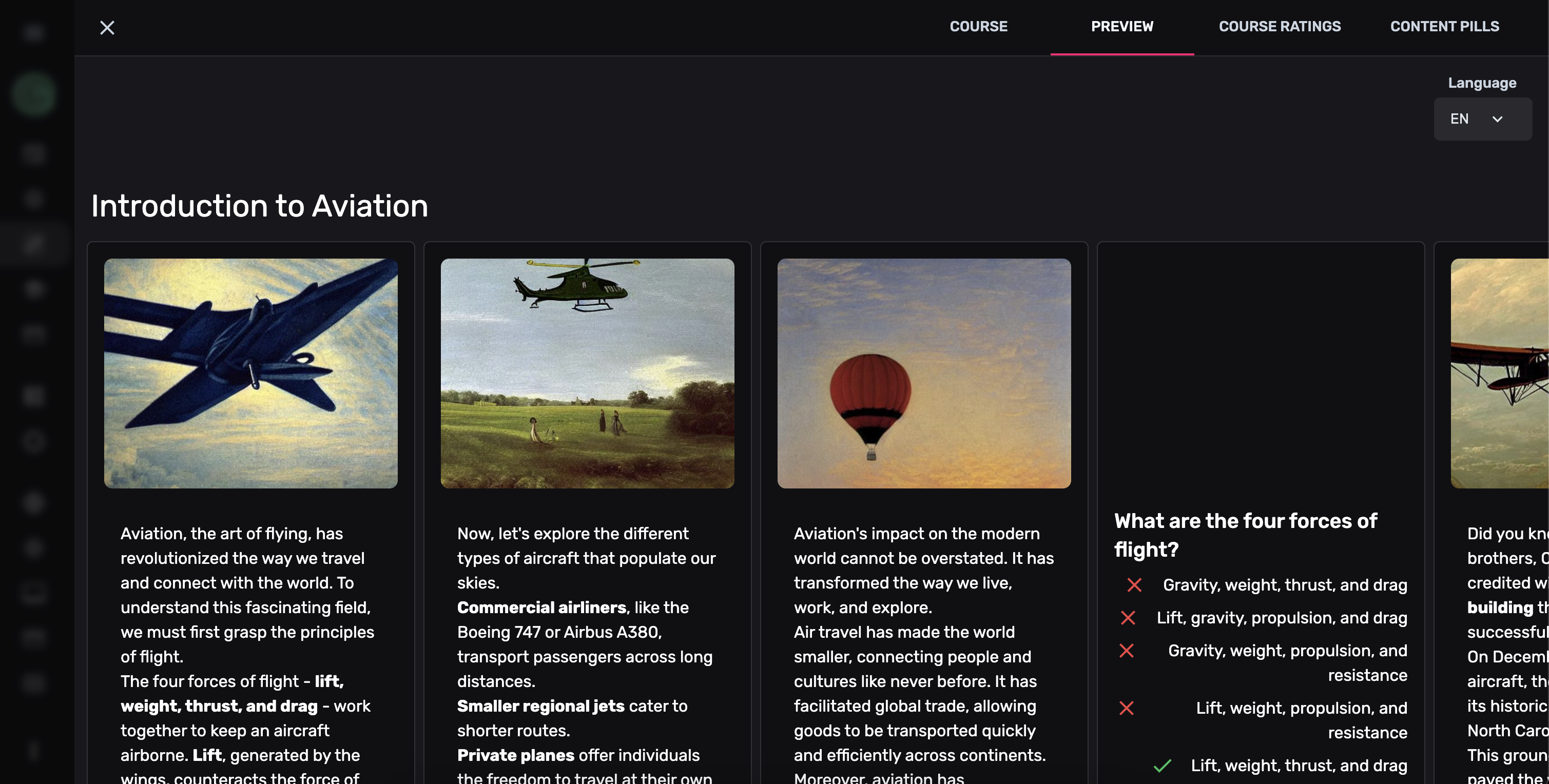
The tour
Kein Tabellen-Viewer. Ein Ort zum Arbeiten.
Everything below is generated from the same collection definitions your API is served from. Nobody drew these screens.












Tag für Tag
Was die Leute, die keine Entwickler sind, tatsächlich bekommen
Every view, no code. The same rows as a data grid, cards, a list or a Kanban board. Switch layout, filter live, edit in place.
Relations as navigation. Foreign keys and many-to-many joins become tabs. Attach existing rows or create related records without leaving the entity.
Media that belongs to a row. Uploads land in your storage bucket and resolve inline — thumbnails in the list, previews in the form.
History and revert. Who changed what, when. Compare two versions side by side and roll one back.
Users, roles and what they can reach. The same roles your RLS policies read, managed by people who will never open psql.
Import, export, bulk edit. CSV, JSON or Excel in with field mapping; one click out. Thousands of rows without a migration script.
Dateispeicher, im Panel — derselbe Bucket, in den deine API schreibt, kein zweiter.
Der echte Rich-Text-Editor von Rebase — tipp einfach los, er ist voll interaktiv.
Markdown schreiben. Beim Rendern zusehen.
Lieber Klartext? Markdown-Felder haben eine Live-Vorschau im geteilten Fenster — Überschriften, Fettdruck, Listen und Code rendern beim Tippen, und in deiner Datenbank landet das rohe Markdown.
- Editor und Live-Vorschau nebeneinander
- Text markieren und mit der schwebenden Leiste formatieren
- Wird als reines Markdown gespeichert — portabel von Haus aus
Karten ziehen, Datenbank aktualisieren.
Eine Collection mit einer String-Property, die ein enum hat, bekommt die Kanban-View, ohne danach zu fragen. Die Zeile enabledViews im Beispiel oben schränkt den Umschalter ein, statt das Board einzuschalten. Eine Karte zu ziehen schreibt nach Postgres, unter denselben Policies wie jeder andere Schreibvorgang.
- Automatisch aus jeder Enum- oder Status-Property erzeugt
- Drag-and-drop mit optimistischen Datenbank-Updates
- Filterbar, sortierbar und vollständig responsiv
Bearbeiten wie eine Tabelle. Speichern wie eine Datenbank.
Klick in eine beliebige Zelle und tippe los; die Änderung wird über dieselbe API nach Postgres geschrieben, die auch deine App nutzt. Sortieren, filtern, mehrfach auswählen und exportieren — in einem Raster, das sich wie eine Tabellenkalkulation verhält.
- Zellen per Klick bearbeiten, mit typbewussten Eingaben
- Mehrzeilige Auswahl und Massenaktionen
- Spalten in Breite, Reihenfolge und Sichtbarkeit ändern
- CSV-/JSON-Export mit einem Klick
Ein Editor. Jeder Inhaltstyp.
Ein Blogeintrag, eine Produktbeschreibung und ein internes Dokument sind derselbe Block-Editor, der in drei verschiedene Spalten schreibt.
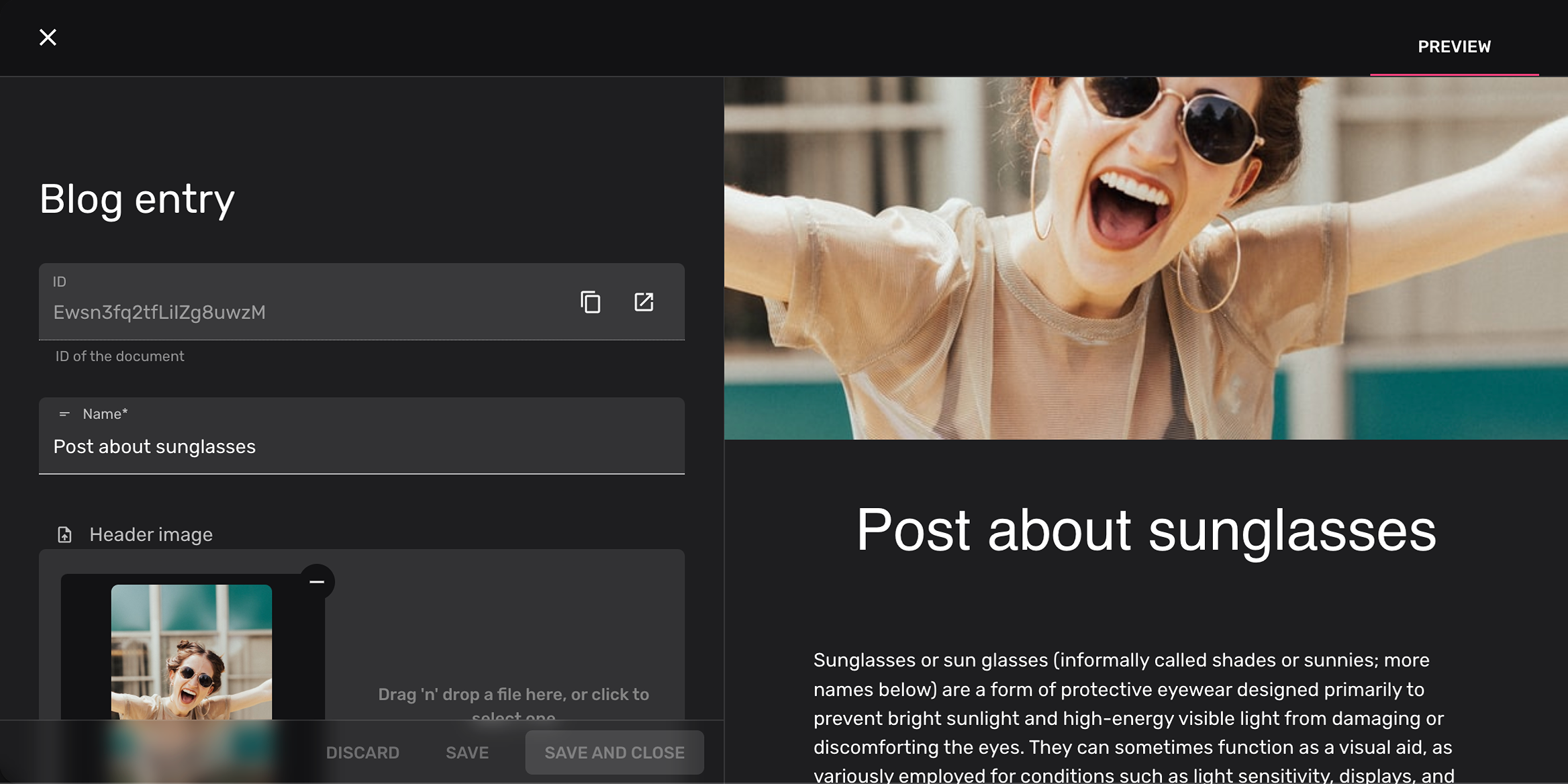
Content-Teams
Blogbeiträge im Rich-Text-Editor schreiben. Blöcke ziehen, Medien einfügen, Vorschau ansehen — ohne Entwickler.
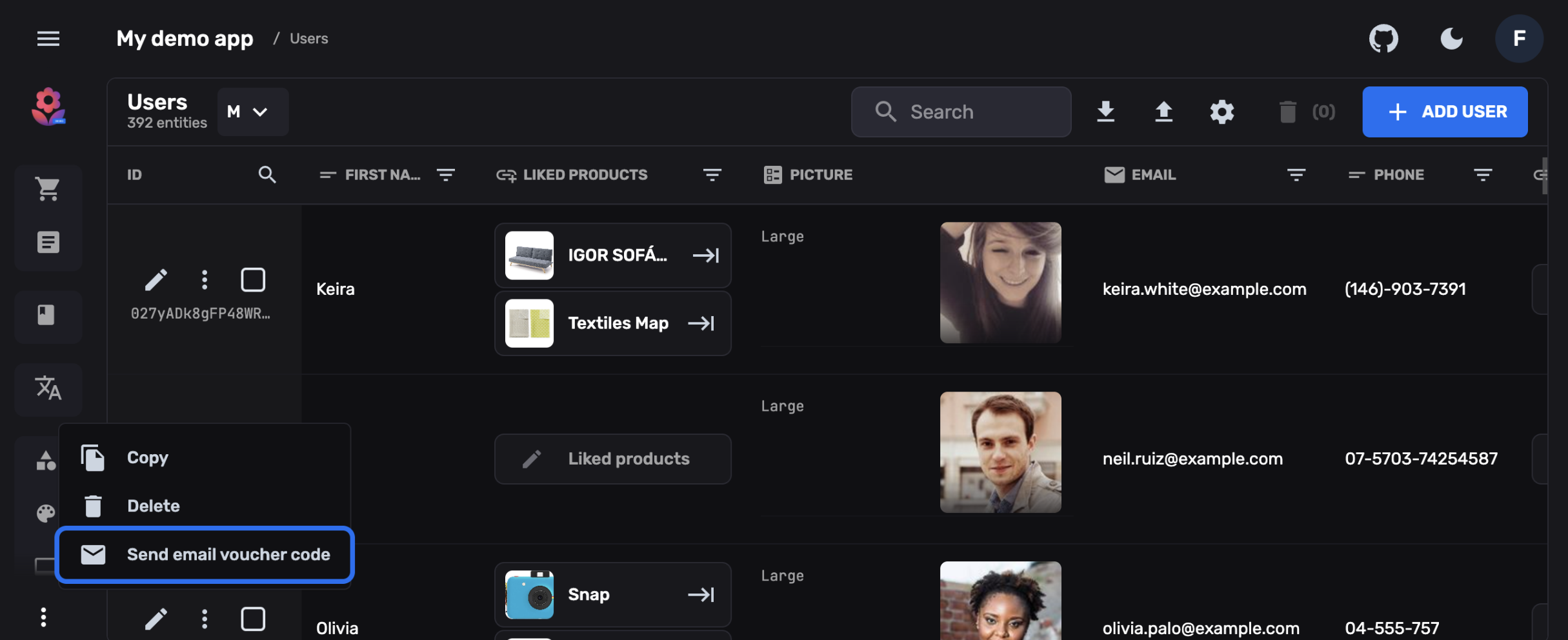
Operations
Daten mit Tabellen-Views und Kanban-Boards verwalten. In Sekunden massenhaft bearbeiten, filtern und als CSV exportieren.

Entwickler
Eigene Entity-Views, Preview-Panels und Feld-Widgets bauen — alles in normalem React und TypeScript.
Deins, zum Erweitern
Es ist eine React-App. Behandle sie auch so.
Richte eine Property auf deine eigene Komponente und das erzeugte Formular tritt zur Seite. Eigene Felder, eigene Previews, ganze eigene Entity-Views, zusätzliche Aktionen in der Toolbar — geschrieben in dem React, das du ohnehin schreibst, im admin-Block per Pfad referenziert.
status: {
  name: "Status",
  type: "string",
  enum: { paid: "Paid", refunded: "Refunded" },
  admin: {
    // your own React component, resolved at build time
    Field: "./components/StatusPicker",
    Preview: "./components/StatusChip",
  },
},Deine Komponente rendert im Formular und in der Liste, mit Entity, Collection und SDK als Props.
Rund zwanzig Feldtypen kommen mit dem Panel. Alles darüber hinaus ist eine Komponente, die du schreibst, kein Feature-Request, den du einreichst.
Was es kostet, es hinzuzufügen
Eine Schicht, kein Lock-in
Rebase hat das CMS aus dem Backend-Vertrag herausgetrennt, und die Linie ist in deinem eigenen Projekt sichtbar: die Backend-Hälfte einer Collection und die admin-Hälfte, die der Server nie liest.
# one dependency more than a headless project
~ pnpm add @rebasepro/cms-types

// config/cms.d.ts — one line, once per project
/// <reference types="@rebasepro/cms-types" />
Ohne diese Referenz ist ein admin-Key auf einer Collection ein Typfehler. Präsentation kann nicht versehentlich in ein Headless-Projekt einsickern.
export const orders: PostgresCollectionConfig = {
  // … the backend half: table, properties, securityRules

  admin: {
    icon: "ShoppingCart",
    group: "E-Commerce",
    defaultViewMode: "table",
    enabledViews: ["table", "kanban"],
    listProperties: ["reference", "status", "total"],
    sort: ["created_at", "desc"],
  },
};
Alles, was das Panel braucht, steckt in einem verschachtelten Block. Dein Datenmodell bleibt lesbar für jeden, der die UI nie öffnet.
Dieselben APIs wie deine App
Das Panel liest und schreibt über dieselben REST-, Auth- und Realtime-Endpunkte, auf denen du baust, unter derselben Row-Level Security. Kein privilegierter Datenpfad.
Dasselbe Schema, eine Quelle
Kein zweites Datenmodell zu pflegen. Benenn eine Spalte in deiner Collection um, und sowohl API als auch Admin-Panel folgen im selben Commit.
Eine eigene SPA, oder ein eigenes Repository
Mounte es in eine bestehende React-App oder gib ihm ein eigenes Repo — generate-sdk --from <url> typisiert es gegen das laufende Backend, es liefert also in eigenem Takt. npm-Pakete, kein Framework, in das man einzieht.
Wo es hingehört
Das Backend und das Admin-Panel obendrauf
das Backend
Rebase Backend
REST, ein typisiertes SDK, Auth, Storage, Realtime und RLS über deinem Postgres. Headless für sich. Das Panel rendert obendrauf.
Admin-Panel · du bist hier
Rebase CMS
Das Admin-Panel für die Menschen in deinem Team, gesteuert vom admin-Block deiner Collections.
Admin-Panel
Rebase Studio
SQL-Editor, Schema-Visualisierung, RLS-Policy-Editor, Branches und API-Explorer. Studio ist der Entwickler-Workspace. Es registriert sich im selben Panel wie CMS.
Nimm das Panel dazu, wenn du es brauchst.
Scaffolde ein Projekt, definiere eine Collection, und das Admin-Panel ist schon da — oder lass es weg, und an der API ändert sich nichts.